Comprehensive and Timely Reports
 Bulk Billing Available
 Image with Confidence



Patient Portal
See your results, view your images and share them with your doctor securely, from your phone or computer.
The Vision Radiology Patient Portal is a secure website for your imaging results. It works on your phone, tablet or computer. There’s nothing to download and no password to remember.

Got a link from us by SMS? Just tap it. It opens your results directly.

How it works
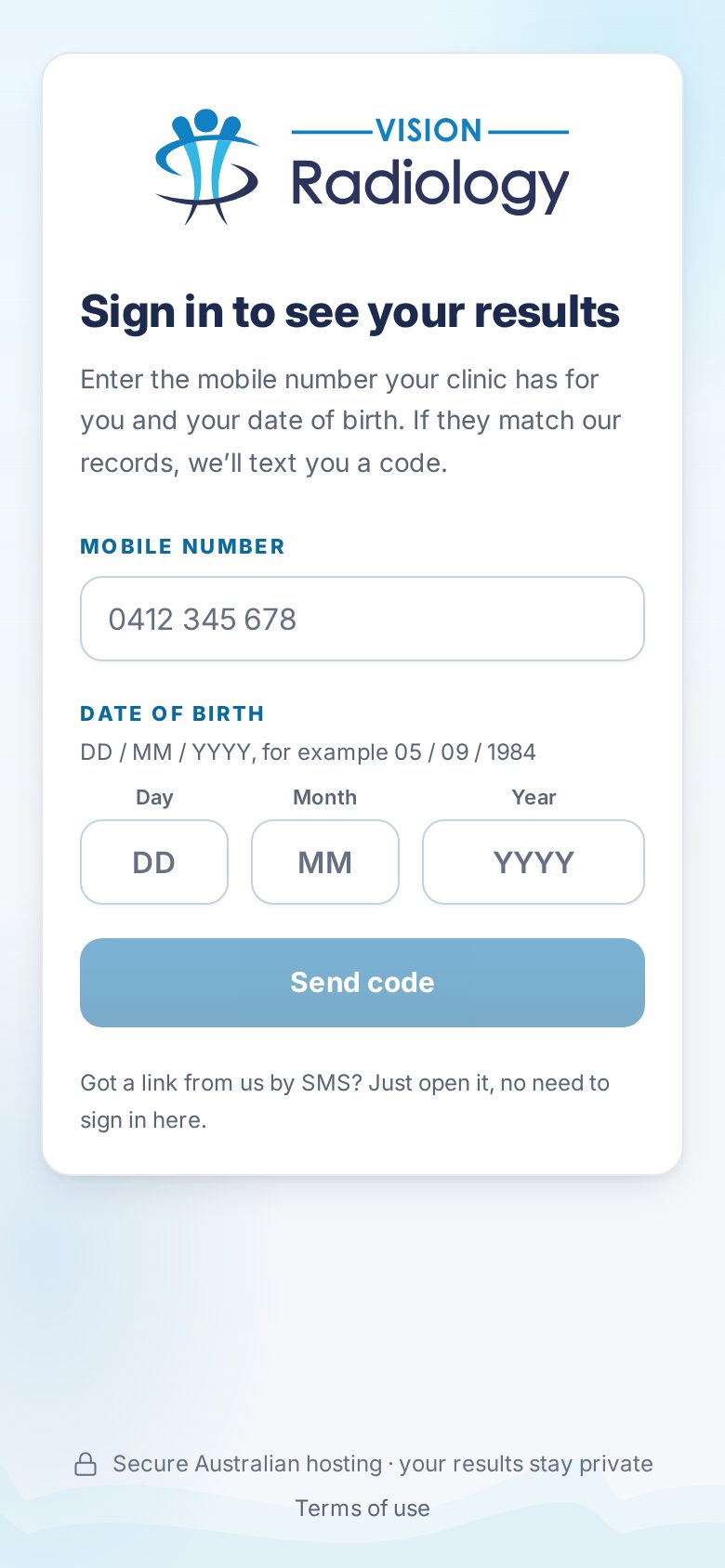
Sign in
Enter the mobile number or email your clinic has for you and your date of birth, tap Send code, then enter the 6-digit code we send you.
See your results
Your scans are listed newest first. Results usually go to your referring doctor first, then appear here after a delay that varies by clinic.
View your images
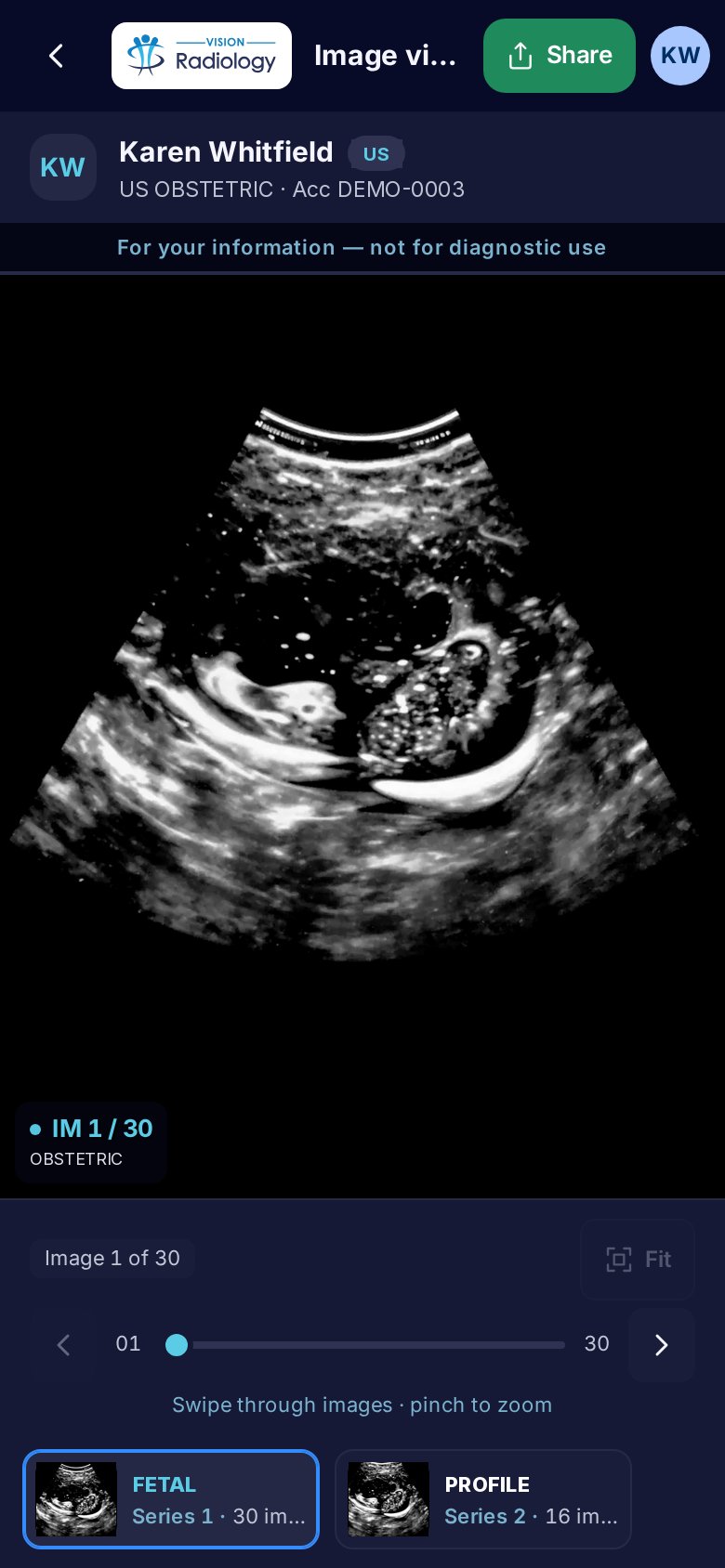
Look through your images on your phone or computer. Swipe, and pinch to zoom.
Share
Send a released study to your GP or specialist by mobile number or email.
What is the Patient Portal?
When you have a scan with us, your radiologist writes a report for the doctor who referred you. The Patient Portal gives you your own copy of the report and images, so you can look back at them and share them with your doctors when you need to.
- ✓See a list of your scans with us, newest first
- ✓Read your report once it’s been released
- ✓View your images on your phone or computer
- ✓Share a released study with your GP or specialist
- ✓Find a Vision Radiology clinic near you
How to sign in
- Go to patient.visionradiology.com.au.
- Enter the mobile number or email your clinic has on file for you, and your date of birth (DD/MM/YYYY).
- Tap Send code. If your details match our records, we’ll send you a 6-digit code by text or email. Vision Radiology texts come from 0468 153 435.
- Enter the 6-digit code within 10 minutes and you’re in.
If the code doesn’t arrive, ask for a new one and check you used the mobile number or email you gave the clinic. After several wrong tries, sign-in pauses for 15 minutes. If your number has changed, please call your clinic.
When will my results be available?
Your results usually go to your referring doctor first. They then appear in the portal after a delay that varies by clinic, which gives your doctor time to review them and talk them through with you.
Some results are held for review and some are not released online. If you can’t see a scan you expected, please call the clinic where you had your scan.
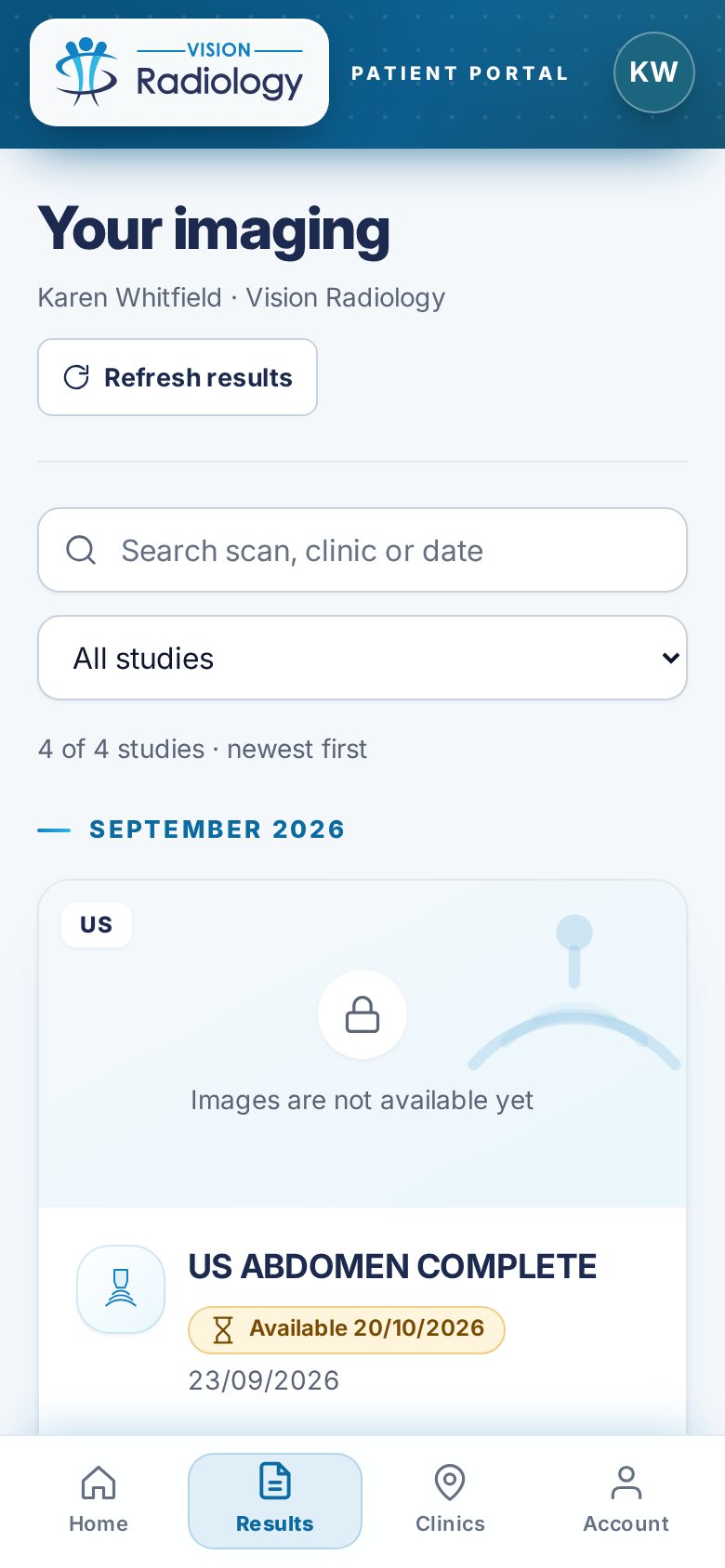
Viewing your report
Open a scan to read the report. You’ll also see which clinic you attended, with buttons to call the clinic or get directions.
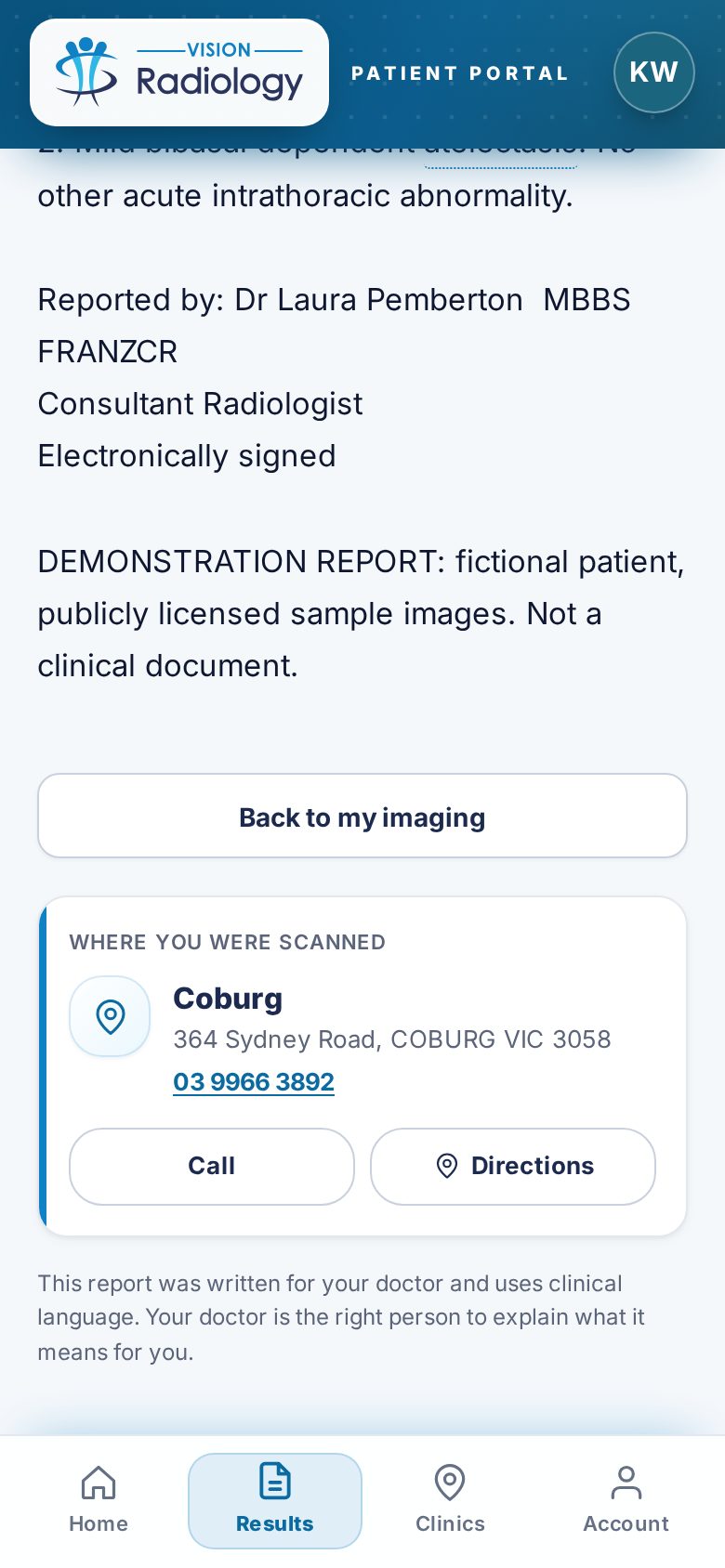
Viewing your images
You can look through your images right in the portal. On a phone you’ll get a simple viewer: swipe to move through the images and pinch to zoom. On a computer you get a larger view.
The viewer is for your information. It isn’t meant for diagnosis. Your doctor or specialist can use their own systems to look at the full-quality images.
Sharing with your doctor or others
Open a released study and use the Share button to send it to your GP or specialist by mobile number or email. They’ll be able to see the report and images you’ve chosen to share. Share links last 7 days and you can cancel a share at any time. Only share with people you trust.
You can print your report or save it as a PDF. Downloading images (DICOM, ZIP or CD) is not available in the portal.
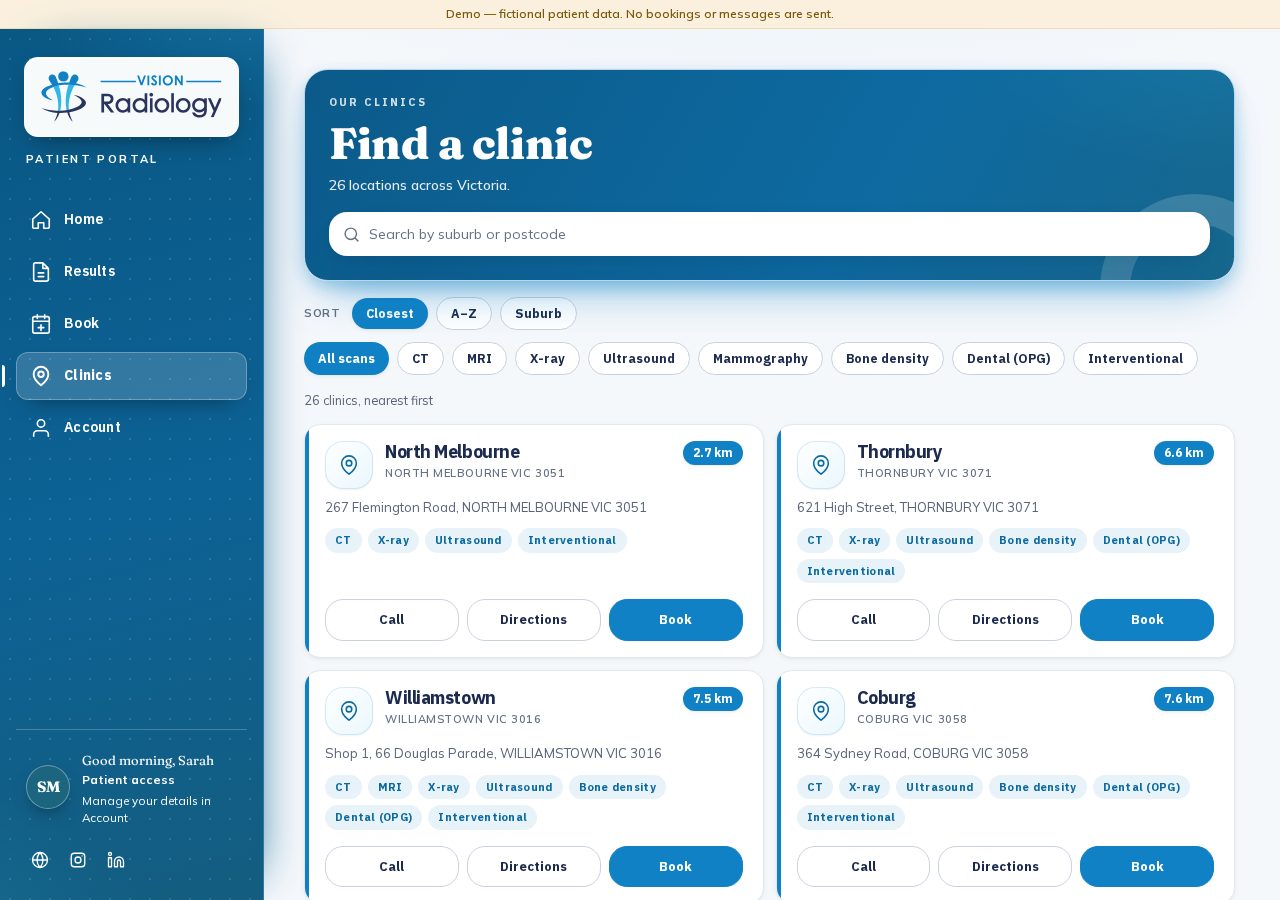
Find a clinic
The portal lists all our clinics. You can search by suburb or postcode, filter by scan type, and call a clinic or get directions.
You can also view all our locations here.
Your privacy and security
- ✓Your information is hosted securely in Australia.
- ✓Signing in needs the mobile number or email your clinic has for you, your date of birth and a one-time code.
- ✓Only you, and anyone you choose to share with, can see your results.
- ✓We handle your information in line with Australian privacy law.
Frequently asked questions
Does it cost anything?
No. The Patient Portal is free.
Do I need to download an app?
No. It works in the web browser on your phone, tablet or computer.
Why can’t I see my results yet?
Your results usually go to your referring doctor first, then appear in the portal after a delay that varies by clinic. Some results are held for review and some are not released online. If you have questions, please call your clinic.
I didn’t get a code.
Make sure you’ve entered the mobile number or email your clinic has for you and the right date of birth (DD/MM/YYYY). Codes last 10 minutes. After several wrong tries, sign-in pauses for 15 minutes. If your number has changed, please call your clinic.
Can I see older scans?
The portal shows the scans we hold for you. One sign-in shows your studies from Vision Radiology, Focus Radiology, Light Radiology and Quantum Medical Imaging. If one is missing, please call your clinic.
Can someone else look at my results for me?
Yes. Open a released study and use the Share button to send it to their mobile number or email address. Share links last 7 days and you can cancel a share at any time. Only share with people you trust.
Can I download my images?
No. You can print your report or save it as a PDF, but downloading images (DICOM, ZIP or CD) is not available in the portal. If you need a copy of your images, please call your clinic.
What do my results mean?
We can’t give medical advice through the portal. Please talk to your referring doctor about your results.
Do I still need to see my doctor?
Yes. Your doctor will go through your results with you and talk about any next steps.
Need help?
For help with the Patient Portal, please call the clinic where you had your scan.
We offer accessible services by bulk billing almost all examinations and procedures. To find out more, visit our billing information page.
Complete our booking form and one of our friendly staff will contact you – it’s quick, and easy. Click on the below link and follow the simple steps. Remember to have your referral handy.